
Time Hack: Monitor News Sites with iMacros Firefox Plugin

imacrosMy colleague Mario Starks recently pointed me to a rockin’ new Firefox plugin called iMacros, which lets you automatically run a whole host of repetitive tasks in your browser. My immediate thought was how this tool is perfect for monitoring competitors by loading multiple web sites in one shot.

By running a macro (similar to an Office macro or Photoshop action), you can designate a list of news sites, and run a macro to pop them all open. No more clicking your bookmarks one by one. Also, iMacros can also do all sorts of neat stuff, such as web scraping and automating file downloads.

And for more great ways to monitor your news competition, check out 5 Ways to Monitor Your News Competition Online.

Share:
  • Twitter
  • Facebook
  • del.icio.us
  • Digg
  • StumbleUpon
  • Reddit
  • Yahoo! Buzz
  • FriendFeed
  • NewsVine
  • Mixx
  • Suggest to Techmeme via Twitter
  • MisterWong

5 Must-Read Online Media Books

As I stared at my bookshelf this evening, I got to thinking about the books I most often recommend to online journalism colleagues and workshop participants. I figure my pals in the blogosphere might find such a list useful as well. Each of these five books either fundamentally changed my outlook or gave me incredibly useful knowledge in my daily work.

And please, tempt me into spending some book money by sharing your favorites in the comments! On to the list:

SEO for Dummies by Peter Kent

seofordummiesPeter Kent’s book can help any beginner make huge strides in optimizing content for search engines. When I teach workshops, I often hand out a list of links to practical online resources; ‘SEO for Dummies’ is the only dead-tree resource to make it on that list. Read this thing at least twice. This book is not only spectacularly useful, it’s also one of the most enjoyable technology books I’ve ever read. Knowing this book inside and out can result in many, many new readers coming to your news site.

One More Time: The Best of Mike Royko

mikeroykoIf you’re a journalist wanting to learn a thing or two about blogging, skip the e-book by this week’s online marketing flavor of the week. Instead, read this collection of columns by longtime Chicago columnist Mike Royko. Royko wrote his columns five days a week, a schedule many bloggers are hard-pressed to keep. He was a master at interacting with his audience, sometimes even poking fun at them (read his czernina columns). He knew how to pick topics that got people to react and care.

And, Royko unknowingly discovered a secret to building a successful community around a web site: getting people together in real life. Royko was famous for his rib cookoffs, ugly dog contest and other events.

Read Mike Royko through the lens of a blogger, and you’re bound to gain a new appreciation for the lessons that can be learned from journalism’s past.

Myths of Innovation by Scott Berkun

myths of innovationI still remember the day at the 2007 ONA conference when fellow journalism geek Lisa Williams told a group of online editors that the journalism industry was beginning to mirror the technology industry with its rapid development cycles and webby culture. Consequently, fostering a culture of innovation is key to growing a successful news site. Scott Berkun’s ‘Myths of Innovation’ will challenge your ideas on how new concepts succeed in the marketplace, as well as give you some insights on fostering innovation in your newsroom and personal life.
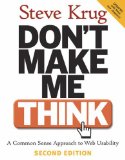
Don’t Make Me Think! A Common Sense Approach to Web Usability by Steve Krug

don'tmakemethinkSteve Krug’s ‘Don’t Make Me Think!’ is THE bible of web usability. Anyone involved in working on a web site should read this book. ‘Don’t Make Me Think!’ can help keep you from making costly mistakes when putting together your site on a daily basis. What kinds of links work best? How do people navigate your site? Why aren’t my promos working? This book holds many of your answers, my friend. Even the layout of this book is an example of great usability.
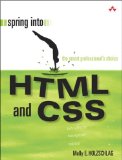
Spring into HTML & CSS by Molly E. Holzschlag

springintohtmlcssThis is the HTML/CSS book upon which I was weaned as a newbie HTML slinger –or rather, as a standards-compliant HTML slinger. You see, I first learned to design web sites by my lonesome using Adobe GoLive and its accompanying manual (go on, laugh and get it out of your system). It wasn’t until I used this book in Mindy McAdams’ multimedia class at the University of Florida that I really started to learn to design using modern best practices. This book is still my go-to recommendation whenever I’m asked about a good book for learning HTML and CSS.

Now go on, tell everyone in the comments what five books you most often recommend to colleagues.

Share:
  • Twitter
  • Facebook
  • del.icio.us
  • Digg
  • StumbleUpon
  • Reddit
  • Yahoo! Buzz
  • FriendFeed
  • NewsVine
  • Mixx
  • Suggest to Techmeme via Twitter
  • MisterWong

5 tips on managing insane amounts of e-mail

scary Outlook fangsYour inbox doesn’t have to be a scary place. These five tips can help you cope with hordes of e-mail.

You’ve probably felt that drowning feeling on a Monday morning when you open up Microsoft Outlook and the enormous pile of e-mail from last week is still there, killing your mojo and increasing your anxiety.

Instead, imagine opening up your inbox and seeing actual whitespace at the bottom of your screen. It’s a helluva way to start the week with a focus on going forward.

So, with a hat tip to David Allen’s life-changing  book “Getting Things Done,” here are a few tips I’ve used that will hopefully be of use to you too (NOTE: Most of the specifics focus on Microsoft Outlook):

1) Don’t use your inbox as a to-do list

Using your inbox as a to-do list is the cardinal sin of e-mail. It is the key factor in slowing you down. And it makes your inbox a scary place to be.

When you use your inbox as a to-do list, it means frivolous messages are mixed with critical, time-sensitive messages. You are unnecessarily looking at old messages, probably taking longer to respond and increasing the likelihood that an important message will get glossed over.

Instead, port your action items to an actual to-do list. There are an enormous amount of excellent task management methods out there. I personally keep my tasks in a color-coded Google Spreadsheet so that it’s accessible from work and home. For you, it may be as simple as paper and pencil, an iPhone app or something else.

If you consistently place your “to-do” e-mails into your “system,” it relieves the anxiety of having to scan your inbox repeatedly to make sure no balls get dropped.

If the e-mail has important details or attached documents, then file it in a personal folder for later reference (more on that later).

If a message requires some research, don’t leave it in your inbox until you have the chance to get to it. Add the research to your to-do list, file the e-mail away and shoot a quick note back to the requester saying you need to research the question.

The trick to making this work is to do it consistently. If you only do it half the time, you won’t trust your system. The extra time you spend adding items to your to-do list will make up for the amount of time you formerly spent scanning old inbox messages — but only if you don’t half-ass it.

2) Use automation rules to speed up prioritization

Being a newsroom denizen, I get a lot of unneeded e-mail from public information officers and public relations people. So I’ve got a huge rule that targets all their e-mail addresses and sends it to a folder. I don’t typically work breaking news these days, so I can choose to look through those messages later without much worry.

On the flipside, you may choose to redflag messages from certain people to make sure you spot it amidst the flurry of messages you get.

Creating smart routing rules can help clear chaff and highlight important messages.

3) Use personal folders, and archive e-mail by project

An e-mail archive on your hard drive or a shared drive gives you a place to store items you don’t need in your inbox. It also serves as documentation of conversations and helps you keep your inbox size limit manageable.

Personally, I create a new folder for each important project I’m working on and place most messages relating to it there. I do this because searching by who sent a message or when it was sent is easy. However, finding messages by project can be considerably difficult, so I archive my e-mail by project.

While I’m not meticulous about filing everything in its correct folder (there are things to be actually done, after all), I do take the extra half-second to place the important stuff in its correct folder instead of my general “E-Mail Vault.”

4) Use Google Desktop for Outlook

Because I archive a large amount of my e-mail, searching for it using Outlook’s slow search can be painful. Instead, I installed Google Desktop and enabled the Outlook toolbar, a tool I’ve been evangelizing to all my e-mail beleaguered colleagues at work. Google Desktop indexes your messages to make searching through a multi-gig archive a speedy endeavor.

5) Write shorter e-mails

This seems like a no-brainer, but shortening your e-mails will make you a faster e-mailer, a better writer and a more pleasurable person to correspond with.

I’ll admit I’m guilty of writing long e-mails sometimes (I’m working on it!). But I tend to agree with marketing guru Guy Kawasaki, who says five sentences is the optimal length of an e-mail.

Getting your e-mail length under control means people are more likely to actually read the thing. And it means more time spent on projects and less in your inbox.

***

I’d love to hear about the tricks you use to get your e-mail under control — and so would others. Drop your advice in the comments!

More E-mail Advice:

Guy Kawasaki’s “The Effective EMailer”
Merlin Mann’s “Inbox Zero” series | Video here

Share:
  • Twitter
  • Facebook
  • del.icio.us
  • Digg
  • StumbleUpon
  • Reddit
  • Yahoo! Buzz
  • FriendFeed
  • NewsVine
  • Mixx
  • Suggest to Techmeme via Twitter
  • MisterWong

Handouts for today’s FSNE multimedia workshops

Hey folks, just wanted to post the handouts I’ll be giving out at the two FSNE multimedia workshops I’ll be leading this afternoon in Tampa. One session is on blogging and the other is on new online media tools. Here are the handouts, as well as my slideshow for the blogging session.

Slideshow Presentation: How to Blog Like a Rock Star

Document: Online Media Toolkit

Document: Blogger Toolkit

Document: Chris Brogans’s 40 Ways to Deliver Killer Blog Content – (Orignal post here)

Share:
  • Twitter
  • Facebook
  • del.icio.us
  • Digg
  • StumbleUpon
  • Reddit
  • Yahoo! Buzz
  • FriendFeed
  • NewsVine
  • Mixx
  • Suggest to Techmeme via Twitter
  • MisterWong

10 Things Online Editors can do to Save Their Jobs

nailing the roofLearning the skills to “do it yourself” can help you keep your online media job in these tough times and possibly get you an even better gig. [Photo by Tommy Huynh]

If you’re a web worker at a news site, you may recall a day when a newsroom Luddite came over and was astonished at how you waved your computer mouse and out came news stories published to the web site. You’d get looks of amazement and receive the occasional “man, you guys are the future.” It felt pretty good to feel ahead of the curve, right?

But they are coming. The former Luddites, that is.

Major news organizations are beginning to merge their print and online operations, which means print-edition journalists will increasingly double up on their duties and transition over to the web site, becoming full-fledged online producers with many of the basic skills to match. For instance, the LA Times has created an ambitious 40-class curriculum to train newsroom staff on how to produce for the web.

So where does that leave the steadfast web producer, whose exclusive keys to the online house are being duplicated like a $2 locksmith stand at a Home Depot on Saturday?

Back in 2006, I wrote about the dangers of simply being a “cut-and-paste expert” who doesn’t learn to use new digital media tools. That warning is now doubly true. So if you draw your paycheck from an online news site, it’s time to ask yourself a few hard questions:

1- Do I know how to register a domain name, create a basic web site (such as a blog) and post content to it by myself?

2- Have I tinkered with a new online media tool I wasn’t familiar with in the last four months?

3- Have I attended a class, workshop or explored another educational opportunity related to online media in the last year?

4- Have I created or co-created an original piece of content in the last six months that I would proudly put in my digital media portfolio?

5- Do I understand the information we have about our readers? Do I understand the breakdown of how visitors get to the site? Do I know the sites that send the most readers? Do I know some things about the demographics of who visits the site? Do I know what kinds of content draw the most views on our site? Do I know what kinds of readers are the most valuable to our advertisers?

If your answer to any of these is “no,” then it’s time to roll up your sleeves and get to work before it’s too late. The newsroom editors are learning the basics, so it’s time to take your own skills to the next level.

Here are ten things you can try in the next six months to boost your professional value, whether you’re a newly hired producer or a seasoned manager with years of online experience:

1- Become versed in social media sites such as Facebook, Twitter, Digg, StumbleUpon, Reddit and others. Build a profile, and become a power user on some social bookmarking sites. Here’s a great how-to for Digg.

2- Learn more about search engine optimization and how you can use it to promote news content. Get yourself a copy of Peter Kent’s Search Engine Optimization for Dummies. It’s not only my favorite SEO book, but it’s also one of my favorite tech books, period.

3- Experiment with some of the 25+ tools on this list and try using a few for an upcoming project.

4- Create your own web site around something about which you’re passionate. You get even more out of the experience if you buy a domain name and build your site from scratch. You can likely install your own content management system, such as the free WordPress or Joomla, using the handy tools that web hosts such as GoDaddy and Dreamhost offer. The site can be a blog, a forum or something else. If you need help, use the excellent resources at J-Learning. And if you want to really learn HTML, I highly recommend the book Spring into HTML & CSS by Molly Holzschlag, which I personally used to re-learn all the basics.

5- Spend a few days exploring your site’s metrics tools in detail. Run heat maps on your site to see where users click. Punch up the list of top referring domain names. Look at what the top content was on various days. Look at the keywords people use to find your site. Find out how they get to the site.

6- Brush up your skills by taking some online media classes. You can find great (and free or cheap) classes on everything from beginner Photoshop to computer programming at local libraries, technical schools and community colleges. Techniques change so rapidly in online media that this is essential.

7- Knock on the marketing department’s door and ask them for a copy of any studies done on your site’s readers. Look for anything related to demographics, usability studies and market research. Read it, and make a summary of it for your own notes.

8- Knock on the advertising department’s door and find out what big sales they’ve made recently. Ask them what sorts of content has sold well and what kinds of readers are most lucrative to advertisers.

9- Start following a few blogs that interest you, and study their habits. Also, consider following a few online journalism blogs that keep track of industry happenings. To get started, check out Journalistopia’s blogroll (the list of links on the right side of this blog) or visit Alltop.com’s journalism category.

10- Network with online media professionals (and not just online NEWS professionals). Check for local meetups at sites such as Meetup.com and Upcoming. Consider attending local conferences, such as BarCamps and university-sponsored workshops, where people present new technologies and ideas. Contact an editor at another news site if you love an idea their staff has accomplished.

It’s a tumultuous time in our industry, and few things are certain. However, it’s a good bet that boosting your online media skills will increase your likelihood of keeping your job or getting an even better one.

So get started, and don’t waste another day!

Have ideas on how you or others can increase your professional value? I’d love to hear from you in the comments!

Share:
  • Twitter
  • Facebook
  • del.icio.us
  • Digg
  • StumbleUpon
  • Reddit
  • Yahoo! Buzz
  • FriendFeed
  • NewsVine
  • Mixx
  • Suggest to Techmeme via Twitter
  • MisterWong

25+ of Danny’s Favorite Multimedia Tools

Many handymen have a favorite wrench or drill they adore and always keep with them. Well, journo-geeks are no exception.

Below is a shortlist of more than 25 of my favorite (and mostly free) multimedia tools. I put together this list for a session on new media tools that I led Saturday at a multimedia workshop hosted by the Florida Society of Newspaper Editors.

Hate my picks? Love em? I’d love to hear your favorites, so please share in the comments!

Here’s a peek at some of my personal favorites:

VIDEO

UStream.TV – http://www.ustream.tv
Streams live video from your laptop and camera and creates an embeddable player with chats.

Mogulus – http://www.mogulus.com
A live streaming service similar to Ustream.TV that allows you to have multiple producers at a time creating a live show.

Qik – http://qik.com
A service that allows you to easily stream live from many video-enabled cell phones. Hook up an external microphone or audio pool feed to it, and you’ll have reporters recording live video like a rock star.

SOCIAL NETWORKING/BOOKMARKING

Twitter – http://twitter.com
A constant conversation and a great place to build audience. Use Twitter Grader to find who are the top Twitterers in your area.
(I’m at twitter.com/dannysanchez)

Twhirl and Tweetdeck – http://www.twhirl.org http://www.tweetdeck.com
Desktop applications that let you manage Twitter much more easily (I prefer Twhirl).

Facebook and MySpace- http://www.facebook.com and http://www.myspace.com
Centers around personal details and friends. Features groups where you can share content.

Becoming a power user on some of these social bookmarking sites can bring big traffic to your content if it strikes a chord with your “friends” on these sites. These are just some of the top services:

Digg – http://digg.com/
StumbleUpon (Make sure to try the toolbar!) – http://www.stumbleupon.com/
Reddit - http://www.reddit.com/
NewsVine – http://www.newsvine.com/
Delicious (Try the Firefox plugin) – http://delicious.com/
Tailrank – http://tailrank.com/

TIMELINES/SLIDESHOWS

VuVox – http://www.vuvox.com
Creates stunning multimedia timelines that let you embed slideshows, video and more.

Dipity – http://www.dipity.com
An embeddable timeline app that is great for timelines with a lot of points and detail.

Soundslides – http://soundslides.com
A great and inexpensive tool for creating impressive audio slideshows.

PHOTO EDITING

Picnik – http://www.picnik.com
A free, simple web-based photo editor that is perfect for turning your whole newsroom into web producers without dropping $200 for Photoshop Elements. Has a nice Firefox plugin and syncs up to Flickr.

Pixlr – http://www.pixlr.com
A web-based photo editor that is extremely robust and similar to Photoshop.

Photoshop Express – https://www.photoshop.com/express
Provides many of Photoshop’s features in a free web-based editing tool.

More great image editors reviewed here: http://sixrevisions.com/tools/web-based-image-editors

Flickr – http://www.flickr.com
Not just a great place to share and promote your photo work, it’s also my top source for Creative Commons photos used on this blog.

WEB DESIGN

Firefox Web Developer Toolbar – https://addons.mozilla.org/en-US/firefox/addon/60
Has a pixel ruler (how wide is that box?), element inspector, CSS editor and much more.

Firebug – https://addons.mozilla.org/en-US/firefox/addon/1843
A Firefox plugin that can pick apart a Web site and let you edit HTML/CSS on the fly to fiddle with a design. Try with Yslow.

FireFTP – http://fireftp.mozdev.org/
An easy and free FTP client that works right inside Firefox.

You have noticed all this stuff is for the Firefox web browser, right? Just making sure!

Notepad++ (For PCs) – http://notepad-plus.sourceforge.net
A much better text editor for working with HTML/CSS and virtually any kind of code such as PHP, Python, Ruby and more. Adds colors to your code and features tabs and macros. I refuse to use crash-prone, resource-hoggin’ Dreamweaver to write any code!

OTHER

PollDaddy and MicroPoll – http://polldaddy.com and http://www.micropoll.com
Create embeddable polls for your site with no hassle.
(Plus: Shelley Acoca of the Miami Herald recommends Vizu for polls)

WordPress – http://wordpress.org
IMHO, the best blogging platform out there (used here on Journalistopia). It’s free and has thousands of great plugins built by a large network of developers.

Tableizer! – http://tableizer.journalistopia.com
Quickly turns spreadsheets into HTML tables you can put online. Built by yours truly!

Wordle – http://www.wordle.net
Create beautiful “tag clouds” out of a block of text.

Cover It Live – http://www.coveritlive.com
Provide liveblogging updates and host web chats with an embeddable widget. Lets multiple producers help with a chat.

Bloglines Beta and Google Reader – http://beta.bloglines.com and http://www.google.com/reader
Don’t hop from site to site. Use an RSS reader to bring the news to you. I’m a Bloglines Beta user, but Google Reader is also an excellent choice.

Audacity – http://audacity.sourceforge.net
A powerful, free audio-editing suite used by many multimedia producers.

Media-Convert – http://media-convert.com
Converts an enormous array of files. Perfect for mysterious video or audio formats.

Joomla and Drupal -
Two of the top free, open-source content-management sytems available to creators who want more than just a blog. Some major sites are using these tools. You can tweak them as much as you like, or use them right out of the box, depending on your needs.

(PLUS: Bill Mitchell of Poynter Online convinced me Saturday that a defined framework for making ethical decisions is as important a “tool” as any web app. Hence, I give you the Poynter Ethics Tool and Ethics Hotline, which is like having your personal, on-call anti-stupid-decision counselor.)

Share:
  • Twitter
  • Facebook
  • del.icio.us
  • Digg
  • StumbleUpon
  • Reddit
  • Yahoo! Buzz
  • FriendFeed
  • NewsVine
  • Mixx
  • Suggest to Techmeme via Twitter
  • MisterWong

5 Ways to Monitor Your News Competition Online

Being a sharp online editor often means keeping a close watch on your competitors.Being a sharp online editor means keeping a close watch on your competitors. [Photo by Pkabz]

Do you want to explain to your editor why you didn’t know about the huge news that’s been on your competition’s site for more than an hour now? Using these five methods, you won’t have to dream up excuses; you’ll already have been on top of any big news reported in your area:

1) Subscribe to competitors’ e-mail and SMS text alerts
Have you checked to see if the local newspapers and TV stations have breaking news alerts? Getting a heads up via e-mail or SMS alert is one of the best ways to ensure you don’t miss breaking news, especially since most newsroom workers keep their e-mail clients and cell phones on throughout the day.

PLUS: You can also get other kinds of alerts, such as severe weather text alerts from the National Weather Service or earthquake alerts from U.S. Geological Survey.

2) Set up Google Alerts and Twitter Alerts for keywords on your beat

Google Alerts is a powerful way of letting Google do online digging for you. Are you a reporter covering county government? Set up an alert to watch for the name of the county mayor. Do you cover local business? Set up Google Alerts for the major companies in your city.

Google Alerts will shoot you an e-mail whenever Google finds a new item on the Internet containing the keywords you designate. You could even set up an alert for a competing reporter’s byline to find out when he or she has a new story up.

Lastly, you can also monitor Twitter for keywords using TweetBeep.com, which sends e-mail alerts (yes, that’s how those marketers find you and reply to you the nanosecond you tweet something nasty about their products).

3) Cultivate a Twitter community
The newsroom in which I work has been tipped off to various breaking news stories thanks to some producer or reporter hearing about the news through Twitter. The larger your personal community grows on Twitter, the better this method works.

While Twitter isn’t great for depth, it sure is fast. When word leaked that Tim Russert died in June, the news spread first via Wikipedia and Twitter. Our newsroom in Orlando was able to prepare content and get good positioning in search engines before any announcement came out from NBC.

Additionally, many news organizations are getting on Twitter, so you can watch competitors there too.

4) Use an RSS reader to aggregate local news and save time
Old school online editors hop around local web sites to see if there’s anything new. Save yourself the grief and start reading your news competitors’ top headlines via RSS using a feed reader such as Google Reader or Bloglines (though I much prefer Bloglines Beta).

When you subscribe to a site’s feed, your RSS reader will indicate when there’s a new item. RSS readers also let you read a group of Web sites with just one click. You can even subscribe to wire service feeds (Breitbart.com has a huge assortment). No more burning cycles hopping around from site to site checking for updates.

5) Keep TVs in your peripheral vision and learn how to not let them drive you insane
This one took me a while, but I eventually became quite good at it. Many local TV sites are still faster to get news on air than they are at getting it online. Keeping an eye and/or ear on the tube can help you spot big breaking news in the event you’re playing Minesweeper instead of watching your e-mail and feeds.

The trick with this is to learn to go about your tasks and not actively listen but still be able to hone in on the tone and key phrases broadcasters use when something particularly big happens. The cue might be a sudden interruption in the flow of the newscast as the anchor diverts to breaking news. Anchors also speak  differently when they go off the teleprompter. Or, the cue might be the use of a certain graphic (usually a gaudy, brightly-colored one) that you’ll learn to notice.

A couple of years ago, I used to set the volume low and keep an ear on a TV that was perched behind me. I seldom failed to hear a big news story when it broke once I learned the “breaking news sounds.” Nowadays, we have a jumbo monitor that sits in my peripheral vision just at the edge of my computer monitor. Though I found the audio method was more effective and less distracting for me personally, keeping the tube at the edge of my sight also helps me catch big news during the day.

***

What are your favorite methods for monitoring breaking news or your beat? What works best for you and your team?

Share:
  • Twitter
  • Facebook
  • del.icio.us
  • Digg
  • StumbleUpon
  • Reddit
  • Yahoo! Buzz
  • FriendFeed
  • NewsVine
  • Mixx
  • Suggest to Techmeme via Twitter
  • MisterWong

New Tableizer! Tool Turns Spreadsheets into HTML Charts

Web producers here in our newsroom often have to throw up quick charts of data online, but hand-editing a table from a spreadsheet or exporting it from Office or Dreamweaver can be a time-consuming endeavor.

Well, now you have Tableize!, a time-saving tool that lets you copy/paste spreadsheet cells, click a button and –voila!– instant HTML tables you can quickly put online.

I put together Tableize! mostly in my spare time with PHP and a bit of script.aculo.us. The tool is a more modern version of the very talented Ray Villalobos’s long-standing Table Tango tool, which saved our butts plenty of times here in the Orlando newsroom, so much credit and respect to Ray for his original idea.

If you like Tableize!, please share it with others who might benefit. And do let me know if you spot any bugs or have suggestions for the tool. Enjoy!

[Tableize! - A quick tool for creating HTML tables out of spreadsheet data]

Share:
  • Twitter
  • Facebook
  • del.icio.us
  • Digg
  • StumbleUpon
  • Reddit
  • Yahoo! Buzz
  • FriendFeed
  • NewsVine
  • Mixx
  • Suggest to Techmeme via Twitter
  • MisterWong

Overcome evil article pagination with Firefox add-on

Hard-core news junkies hate it. Matt Drudge hates it. You surely hate it too: article pagination. This:

Some folks have learned to hit that “Print” button to get just the text. However, other sites just call a printer stylesheet. Lucky for you, Firefox has a nifty plug-in called Repagination that lets you stitch together all those separate pages into one long document.

Just right-click on the pagination links, trigger the repagination plug-in and voila!

You get to read by just scrolling. The advertising department still gets to serve ads on those pages. We can all get along, can’t we?

[Firefox Repagination plugin via Lifehacker]

Share:
  • Twitter
  • Facebook
  • del.icio.us
  • Digg
  • StumbleUpon
  • Reddit
  • Yahoo! Buzz
  • FriendFeed
  • NewsVine
  • Mixx
  • Suggest to Techmeme via Twitter
  • MisterWong

HowJSay: A lifesaver for voiceovers

microphone.jpg
Photo by Seven Morris

You’re getting ready to do a voiceover for a Soundslide or video, when suddenly, you stumble across a word in your script you don’t know how to pronounce. At this point you can:

1) Guess, and hope you don’t embarrass yourself and your entire news organization to thousands of readers.

2) Suck it up, and ask a colleague, wherein said person will secretly snicker at you forevermore for not knowing how to pronounce [INSERT NOUN HERE]

3) Admit defeat, and rewrite the damn thing.

4) Use HowJSay.com

HowJSay has audio pronunciations for words in English, even for obscuro terms such as Nebuchadnezzar, crysantheum and Hippolyta. Sorry, no Krzyzewski or Django (And that’s JANG-O, not DEE-JAN-GO. Not a word, Alex…)

Being a dude from Hialeah, Fla., a place where most folks pronounce “cheeseburger” as “cheeebelgeh”, HowJSay will find plenty of use in my ol’ bookmarks…

[Hat tip to Lifehacker]

Share:
  • Twitter
  • Facebook
  • del.icio.us
  • Digg
  • StumbleUpon
  • Reddit
  • Yahoo! Buzz
  • FriendFeed
  • NewsVine
  • Mixx
  • Suggest to Techmeme via Twitter
  • MisterWong

Journalistopia online crime maps directory

crime maps

Crime maps of all flavors are the rage nowadays ever since developer/journalist Adrian Holovaty created the now-famous ChicagoCrime.org in May, 2005.

These days, everyone from independent designers to large newspaper companies are creating crime maps, causing severe headaches for police PIOs nationwide. So for all your crime map perusing needs, below is a directory of maps pulled together with tremendous help from the denizens of the Online News Association listserv. If you know of any other neat crime maps, drop a note in the comments. Or if you’re shy, just message me at dansanufATyahoo.com.

Some maps, such as the LA Times’ homicide map, only map killings but go into extraordinary detail for each incident. Others, such as Oakland Crimespotting, pull in a broad range of data. Many of the crime maps –and some of the slickest– were put together by small publications and designers not directly affiliated with news organizations. (NOTE: I did not list online maps created by police agencies.)

You’ll find maps here that have been created using the Google, Yahoo! and Microsoft Virtual Earth mapping APIs. You’ll also find maps that are created using anything from Ruby on Rails, Python/Django and PHP to using WYSIWYG tools such as Google My Maps, ZeeMaps and CommunityWalk.

(And on a personal note, please make sure to follow good search engine optimization practices if you build a crime map. Some of these maps are really hard to find without a direct link!)

CRIME MAPS

Auto Crime Map & Alcohol Violations: Minors in Possession Map
Lawrence Journal-World
http://www2.ljworld.com/data/alcohol_violations/mip/

http://www2.ljworld.com/crimes/auto/
And the award for most booze sold to minors in Lawrence, Kansas goes to The Hawk at 1340 Ohio St. See it on a map of venues that got busted selling alochol to minors. And, see a Google Map of auto thefts/burglaries, broken down by item value, car type and more.

Arizona Crime Reports
Arizona Republic
Uses a search-form based interface with the Google API
http://www.azcentral.com/CrimeMaps/

Anniston Crime Map
Anniston Star
Interactive map made with ZeeMaps
http://www.annistonstar.com/crimemap/

Bakersfield.com Homicide Map
Bakersfield Californian
ZeeMaps-based Google Map of homicides with sidebar and multi-colored points
http://www.bakersfield.com/homicidemap/

Berkeley CA Crime Log
Unknown
ChicagoCrime.org-style interface with multiple pages of Google Maps
http://berkeleyca.crimelog.org

Bloodhound

Northwest Florida Daily News
Google Map with color-coded markers, filtering options and text from police reports
http://www.nwfdailynews.com/crimemap

Boston Crime
Boston Online
Violent crime map with nice detail-view pages and ability to comment
http://www.universalhub.com/crime/

ChicagoCrime.org
Adrian Holovaty
The original gangsta that started it all
http://chicagocrime.org/

Copenhagen Crime Map
Features a beautiful fullscreen map of crime data. This is one of the most visually engaging crime maps.
http://www.dognrapporten.dk/

Crime in D.C. (Washington)
Some guy called Tom
http://www.crimeindc.org/

Crime Watch Newport News
Daily Press (Newport News, Va.)
Searchable database and interactive map with way cool tag cloud features
http://dailypress2.com/crime/nn/

Delaware Crime Map
DelwareOnline/The News Journal
Crime map with various search parameters and polygons delineating neighborhood boundaries
http://php.delawareonline.com/crime/

Duval County Homicide Data Search
Florida Times-Union
Uses a search-form based interface with the Yahoo Maps API. Maps homicide data only
http://www.jacksonville.com/databases/news/homicides/index.shtml

EvanstonNow Crime Map
EvanstonNow
Google map with detail record view
http://evanstonnow.com/crime/map

EveryBlock
Adrian Holovaty and company
Another Holovaty production, this time including highly browseable crime data, inspections, news stories and much more about Chicago, San Francisco and New York.
http://www.everyblock.com/

FresnoBee.com Crime Map
Frenso Bee
Google Map with multi-colored points and a polished interface
http://www.fresnobee.com/static/crime/

Grand Rapids, Michigan Crime Map
John Winkelman
Google Map of crime incidents in Grand Rapids, Michigan created via XML file
http://crime.eccesignum.org/

Houston Crime Maps
Unknown
ChicagoCrime.org-style interface with multiple pages of Google Maps
http://houstoncrimemaps.com

Kansas City Crime
Kansas City Star
A near-exact duplicate of the Fresno Bee crime map (both are McClatchy papers)
http://crime.kansascity.com/

Indy 911 Calls
Indianapolis Star
Yahoo Map of recent 911 calls with description abbreviations and nice police badge icons
http://indy911calls.com

LakelandLocal.com Crime Map
Lakeland Local, using CommunityWalk
Weekly links to CommunityWalk Google maps with unique icons
http://lakelandlocal.com/archives/crime_map/

LA Times.com The Homicide Map, Lost Angeles County victims
Los Angeles Times
An intensely statistical look at homicide information in Los Angeles complete with photos and short bios about many of the victims
http://www.latimes.com/news/local/crime/homicidemap/

Memphis Crime Tracker
Commercial Appeal
Browseable crime data with somewhat of a clunky search/browse interface. Uses the Yahoo! Maps API.
http://www.memphiscrimetracker.com

Misdaadkaart.nl
A series of searchable Google Maps using slick icons
http://www.misdaadkaart.nl/

Monitor Cuidadano
Lavoz.com.ar

Interactive crime map of the city of Corboda, Argentina (in Spanish) done using Flash
http://monitor.lavoz.com.ar/

Nashville Crime Locator
The Tennessean
Simple Google map with date search and limit by crime type functionality.
http://data.tennessean.com/v2/bin/crimeMap/display/index.php

Newark Crime
The Star-Ledger
An in-depth crime map with loads of interesting statistical graphics. Built using the ASP.NET framework.
http://www.starledger.com/str/indexpage/crime/nwkneighborhood.asp

New Haven Crime Log
New Haven Independent
Drills down deep into crime categories with multiple Google Maps, a color-based severity scale and an hour-by-hour time slider
http://www.newhavencrimelog.org/

Oakland Crimespotting
Stamen Design
A slickly designed map using Microsoft Virtual Earth, featuring a chronological slider and e-mail alerts http://oakland.crimespotting.org/

Orlando Crime Map
Orlando Sentinel
Crime map of Orlando incidents, updated weekly, with two ways to search: via Google Map menu or via ChicagoCrime.org-style browsing.
http://www.orlandosentinel2.com/data/crime/

Paso Robles Crime Map
The Tribune
Easy-to-use searchable map with crime details and IRC-channel-esque color palette.
http://www.sanluisobispo.com/553/

PhillyCrime.org
Joshua B. Plotkin with Amir Karger
Uses data from the Philadelphia Inquirer to map searchable data from 2006 and 1996
http://www.phillycrime.org/

Philadelphia Homicides
Philadelphia Inquirer
Flash-based interactive map containing age and weapon data
http://inquirer.philly.com/graphics/homicide_map_2007/

PostACrime
Gathers crime reports for various cities and actively encourages users to help catch criminals. Displays mugshots.
http://www.postacrime.com/

RichmondCrime.org

PharrOut
Uses search forms to navigate a series of Google Maps; also has an interesting crime graph generator http://richmondcrime.org/

Richmond-Area Homicide Report
Richmond Times-Dispatch
Capsio-built map of homicides in the Richmond area
http://www.inrich.com/cva/ric/databases/richmond_area_homicide_report.html

Sacramento Bee CrimeMapper
Sacramento Bee
Crime map with proximity search (nice!) and various other search criteria (funky police bee mascot included).
http://crimemap.scoopytube.com/crimemap/map.html

San Joaquin County Crime Map
San Joaquin Media Group
Nearly duplicates the navigation and look of ChicagoCrime.org (but in a darker hue)
http://www.sjcrime.com/

Seattle 911 Calls
Public911.com
Plots the latest 911 calls on a Google map
http://www.public911.com/911/seattle

Spec’s Police Blotter
Hamilton Spectator
A weekly Google My Maps map of the Spectator’s police blotter
Blotter Link (Click The Spec’s Police Blotter” link under “What’s Hot” at http://www.thespec.com/)

Springfield (Ore.) crime map
The Register-Guard, Eugene, Ore.
Google Map with hand-edited incident descriptions covering the previous week
http://projects.registerguard.com:8080/springfield/crime-map/

SpotCrime
SpotCrime
A national aggregator of mapped crime data featuring reports from nearly every U.S. city.
http://spotcrime.com/

TBO Crime Tracker
Tampa Tribune
A map of law enforcement calls using a Django-based back end
http://data.tbo.com/crime/

Toronto Marijuana Grow Operations & Homicides Since 2005
Toronto Star
Two Google Map-based plotting killings and marijuana houses with some custom Javascript in the sidebar.
http://www3.thestar.com/static/googlemaps/starmaps.html?xml=growops.xml
http://www3.thestar.com/static/googlemaps/starmaps.html?xml=homicides.xml

WashingtonPost.com LocalExplorer
Washington Post

Interactive map with very useful marker clustering and loads of other community data
http://www.washingtonpost.com/wp-srv/local-explorer/index.html

Wichita Crime Map
Wichita Eagle
Simple Google map showing the last day’s crime reports
http://projects.kansas.com/crime/

***

More geotopia in the Maps category. More lists and tutorials in the Journalistopia Tutorials category.

Share:
  • Twitter
  • Facebook
  • del.icio.us
  • Digg
  • StumbleUpon
  • Reddit
  • Yahoo! Buzz
  • FriendFeed
  • NewsVine
  • Mixx
  • Suggest to Techmeme via Twitter
  • MisterWong

80 awesome Photoshop text tutorials

photoshop-text.jpg I just love it when someone does the work for me of compiling awesome tutorials. Check out this list of 80 Photoshop text tutorials that covers everything from text written in the sand to the Superman effect.

And yes, these are great for the display type on those interactive graphics I was just writing about. While you’re at it, check out this huuuuuuge collection of totally free Photoshop brushes.

[Via Lifehacker and Planet of the Web]

Share:
  • Twitter
  • Facebook
  • del.icio.us
  • Digg
  • StumbleUpon
  • Reddit
  • Yahoo! Buzz
  • FriendFeed
  • NewsVine
  • Mixx
  • Suggest to Techmeme via Twitter
  • MisterWong

Next Page »