Eye-Tracking Tablets And The Promise of Text 2.0 [Wired]

From Wired.com: “For example: What if those written words were watching you reading them and making adjustments accordingly? Eye-tracking technology and processor-packed tablets promise to react, based on how you’re looking at text – where you pause, how you stare, where you stop reading altogether – in a friction-reducing implementation of the Observer Effect. The act of reading will change what you are reading.”

Read More at Wired

[Hat tip to Journerdist Will Sullivan]

Share:
  • Twitter
  • Facebook
  • del.icio.us
  • Digg
  • StumbleUpon
  • Reddit
  • Yahoo! Buzz
  • FriendFeed
  • NewsVine
  • Mixx
  • Suggest to Techmeme via Twitter
  • MisterWong

How To Increase Conversions On Any Website In 45 Minutes [Six Revisions]

“Redesigning a website, or even a single page, can be a tedious and time-consuming process. Re-opening a project that you so happily completed can take major mental willpower. However, improving a website doesn’t need to take weeks, or even days. I’m a believer in baby steps: making incremental progress, small victories, minor adjustments with big results.

That’s where my 45-minute plan comes into play. In less time than you spend watching The Bachelor each week, you can have a dramatic (and measurable) effect on your website.”

Read more at Six Revisions

Share:
  • Twitter
  • Facebook
  • del.icio.us
  • Digg
  • StumbleUpon
  • Reddit
  • Yahoo! Buzz
  • FriendFeed
  • NewsVine
  • Mixx
  • Suggest to Techmeme via Twitter
  • MisterWong

Free Multimedia Tool Workshop Updated Handouts

online news association ona logoHey Journalistopians, it’s been a long while, but I wanted to post the handouts and examples I’ll be sharing at this weekend’s Online News Association Parachute Training in Boca Raton, Fla. Feel free to use these in presentations, in the classroom, to line your birdcage — whatever tickles your fancy!
Share:
  • Twitter
  • Facebook
  • del.icio.us
  • Digg
  • StumbleUpon
  • Reddit
  • Yahoo! Buzz
  • FriendFeed
  • NewsVine
  • Mixx
  • Suggest to Techmeme via Twitter
  • MisterWong

5 Must-Read Online Media Books

As I stared at my bookshelf this evening, I got to thinking about the books I most often recommend to online journalism colleagues and workshop participants. I figure my pals in the blogosphere might find such a list useful as well. Each of these five books either fundamentally changed my outlook or gave me incredibly useful knowledge in my daily work.

And please, tempt me into spending some book money by sharing your favorites in the comments! On to the list:

SEO for Dummies by Peter Kent

seofordummiesPeter Kent’s book can help any beginner make huge strides in optimizing content for search engines. When I teach workshops, I often hand out a list of links to practical online resources; ‘SEO for Dummies’ is the only dead-tree resource to make it on that list. Read this thing at least twice. This book is not only spectacularly useful, it’s also one of the most enjoyable technology books I’ve ever read. Knowing this book inside and out can result in many, many new readers coming to your news site.
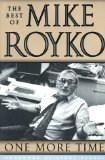
One More Time: The Best of Mike Royko

mikeroykoIf you’re a journalist wanting to learn a thing or two about blogging, skip the e-book by this week’s online marketing flavor of the week. Instead, read this collection of columns by longtime Chicago columnist Mike Royko. Royko wrote his columns five days a week, a schedule many bloggers are hard-pressed to keep. He was a master at interacting with his audience, sometimes even poking fun at them (read his czernina columns). He knew how to pick topics that got people to react and care.

And, Royko unknowingly discovered a secret to building a successful community around a web site: getting people together in real life. Royko was famous for his rib cookoffs, ugly dog contest and other events.

Read Mike Royko through the lens of a blogger, and you’re bound to gain a new appreciation for the lessons that can be learned from journalism’s past.

Myths of Innovation by Scott Berkun

myths of innovationI still remember the day at the 2007 ONA conference when fellow journalism geek Lisa Williams told a group of online editors that the journalism industry was beginning to mirror the technology industry with its rapid development cycles and webby culture. Consequently, fostering a culture of innovation is key to growing a successful news site. Scott Berkun’s ‘Myths of Innovation’ will challenge your ideas on how new concepts succeed in the marketplace, as well as give you some insights on fostering innovation in your newsroom and personal life.
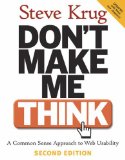
Don’t Make Me Think! A Common Sense Approach to Web Usability by Steve Krug

don'tmakemethinkSteve Krug’s ‘Don’t Make Me Think!’ is THE bible of web usability. Anyone involved in working on a web site should read this book. ‘Don’t Make Me Think!’ can help keep you from making costly mistakes when putting together your site on a daily basis. What kinds of links work best? How do people navigate your site? Why aren’t my promos working? This book holds many of your answers, my friend. Even the layout of this book is an example of great usability.
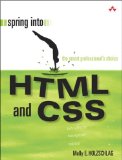
Spring into HTML & CSS by Molly E. Holzschlag

springintohtmlcssThis is the HTML/CSS book upon which I was weaned as a newbie HTML slinger –or rather, as a standards-compliant HTML slinger. You see, I first learned to design web sites by my lonesome using Adobe GoLive and its accompanying manual (go on, laugh and get it out of your system). It wasn’t until I used this book in Mindy McAdams’ multimedia class at the University of Florida that I really started to learn to design using modern best practices. This book is still my go-to recommendation whenever I’m asked about a good book for learning HTML and CSS.

Now go on, tell everyone in the comments what five books you most often recommend to colleagues.

Share:
  • Twitter
  • Facebook
  • del.icio.us
  • Digg
  • StumbleUpon
  • Reddit
  • Yahoo! Buzz
  • FriendFeed
  • NewsVine
  • Mixx
  • Suggest to Techmeme via Twitter
  • MisterWong

Not-to-Miss Florida Online Media, Technology Events

barcamp-orlandoA group of online technology enthusiasts listens in on a presentation at BarCamp Orlando in 2007. The event is now in its third year. [Photo by Josh Hallett ]

In the next few months, yours truly’s calendar is jam-packed with all sorts of great online media and technology events in Florida –events you should really think about attending!

A few weeks ago, I wrote about 10 things online editors can do to save their jobs. Well, attending these kinds of events is Number 10 on the list. And best of all, most of these cost the princely sum of zero dollars.

If you know of any others, please drop me a comment. On to the list:

DrupalCamp Florida – Saturday, Feb. 7
Altamonte Springs, Fla. (just 10-15 minutes north of Orlando)
Cost: FREE
Central Florida is getting its first-ever DrupalCamp, a day-long series of presentations revolving around the free, open-source content management system that is changing the face of online media. Drupal is being used by major media sites such as The New York Observer, Morris Digital, the Miami Herald, as well as hundreds of thousands of small companies and hobbyists.

BarCamp Miami and WordCamp Miami – Sunday, Feb. 22
Coconut Grove, Fla. (near Miami, Fla.)
Cost: FREE
Happening in conjunction with FOWA, listed next
If there’s one thing journalists often lack, it’s an understanding and appreciation for Internet and tech culture. Well, you can get a big heap of it at BarCamp, a technology and online media “un-conference” distinguished by it having absolutely no schedule! The joy of BarCamp is that everyone is encouraged to make a presentation or lead a discussion. It’s totally open to everyone in the spirit of the day. The workshop schedule is set that very morning as participants sign up to lead discussions and give presentations. While BarCamp can get uber-geeky, it’s a great place to learn from other techies, meet innovators, share your knowledge with others and get some great ideas. BarCamp will also forever change your perspective on conferences.

BarCamp is partnering with WordCamp, a workshop similar in style to BarCamp but centering around WordPress, the insanely popular and powerful blogging platform that has become the tool of choice for many bloggers, including Journalistopia. Participants will sign up for presentations on everything from how to become a popular blogger to how to hack the code that powers WordPress

Future of Web Apps Conference – Monday, Feb. 23-24
Miami, Fla.
Cost: $395 (I know it’s pricey, but super early bird tickets were available for $100)
The Future of Web Apps Conference is THE premier web development event in the Southeast. FOWA will feature luminaries such as Winelibrary.TV’s Gary Vaynerchuk, 37Signals’ Jason Fried and many more. I attended last year, and it was worth every minute. This event is geared toward web developers, so it can be techy, but I truly learned a great deal about how the web is changing at this event.

Megacon – Friday, Feb. 27-March 1
Orlando, Fla.
Cost: $22/day or $52 for 3 days. Plus $10 parking/day
Er, this is a comic book convention. But who cares if it’s not about online journalism! I’ll be there! Onward…

Florida Society of Newspaper Editors Multimedia Workshop – Saturday, March 21
Tampa, Fla.
Cost: TBA
FSNE is planning a low-cost multimedia workshop for the Tampa Bay area similar to the one they recently planned in Miami. The workshop is a great opportunity to learn about blogging, online ethics, data projects, Flash and much more. I’ll be there reprising the workshop I led in Miami on new online media tools. Mark your calendar!

BarCamp Orlando – Saturday, April 18
Orlando, Fla.
Cost: Free
Now in its third year, BarCamp Orlando is the Central Florida flavor of BarCamp, explained above under BarCamp Miami. The last two years were a great success, so I’ll hopefully see you there this year!

***

Now I’m wondering when I’ll get to spend time with my lovely wife. At least she got in some great crossword puzzle time the last time I dragged her to BarCamp. (Such a good sport. Love you, dear!)

See you in Miami, Orlando or Tampa!

Share:
  • Twitter
  • Facebook
  • del.icio.us
  • Digg
  • StumbleUpon
  • Reddit
  • Yahoo! Buzz
  • FriendFeed
  • NewsVine
  • Mixx
  • Suggest to Techmeme via Twitter
  • MisterWong

100+ Screenshots of Inauguration Day News Coverage

Want to see how more than 100 major national and international news sites covered the inauguration of Barack Obama? Visit the Flickr photo gallery I put together to see screenshots of news sites’ home pages immediately after Obama was sworn in.  (UPDATE: I sucked it up and bought a Flickr Pro account, so I’ve uploaded many more regional U.S. news sites.)

[Photo Gallery: Inauguration Day coverage by 100+ U.S. and international news sites]

Here’s the  slideshow version:

And special thanks to the Pearl Crescent Page Saver plugin for Firefox!

Share:
  • Twitter
  • Facebook
  • del.icio.us
  • Digg
  • StumbleUpon
  • Reddit
  • Yahoo! Buzz
  • FriendFeed
  • NewsVine
  • Mixx
  • Suggest to Techmeme via Twitter
  • MisterWong

10 Things Online Editors can do to Save Their Jobs

nailing the roofLearning the skills to “do it yourself” can help you keep your online media job in these tough times and possibly get you an even better gig. [Photo by Tommy Huynh]

If you’re a web worker at a news site, you may recall a day when a newsroom Luddite came over and was astonished at how you waved your computer mouse and out came news stories published to the web site. You’d get looks of amazement and receive the occasional “man, you guys are the future.” It felt pretty good to feel ahead of the curve, right?

But they are coming. The former Luddites, that is.

Major news organizations are beginning to merge their print and online operations, which means print-edition journalists will increasingly double up on their duties and transition over to the web site, becoming full-fledged online producers with many of the basic skills to match. For instance, the LA Times has created an ambitious 40-class curriculum to train newsroom staff on how to produce for the web.

So where does that leave the steadfast web producer, whose exclusive keys to the online house are being duplicated like a $2 locksmith stand at a Home Depot on Saturday?

Back in 2006, I wrote about the dangers of simply being a “cut-and-paste expert” who doesn’t learn to use new digital media tools. That warning is now doubly true. So if you draw your paycheck from an online news site, it’s time to ask yourself a few hard questions:

1- Do I know how to register a domain name, create a basic web site (such as a blog) and post content to it by myself?

2- Have I tinkered with a new online media tool I wasn’t familiar with in the last four months?

3- Have I attended a class, workshop or explored another educational opportunity related to online media in the last year?

4- Have I created or co-created an original piece of content in the last six months that I would proudly put in my digital media portfolio?

5- Do I understand the information we have about our readers? Do I understand the breakdown of how visitors get to the site? Do I know the sites that send the most readers? Do I know some things about the demographics of who visits the site? Do I know what kinds of content draw the most views on our site? Do I know what kinds of readers are the most valuable to our advertisers?

If your answer to any of these is “no,” then it’s time to roll up your sleeves and get to work before it’s too late. The newsroom editors are learning the basics, so it’s time to take your own skills to the next level.

Here are ten things you can try in the next six months to boost your professional value, whether you’re a newly hired producer or a seasoned manager with years of online experience:

1- Become versed in social media sites such as Facebook, Twitter, Digg, StumbleUpon, Reddit and others. Build a profile, and become a power user on some social bookmarking sites. Here’s a great how-to for Digg.

2- Learn more about search engine optimization and how you can use it to promote news content. Get yourself a copy of Peter Kent’s Search Engine Optimization for Dummies. It’s not only my favorite SEO book, but it’s also one of my favorite tech books, period.

3- Experiment with some of the 25+ tools on this list and try using a few for an upcoming project.

4- Create your own web site around something about which you’re passionate. You get even more out of the experience if you buy a domain name and build your site from scratch. You can likely install your own content management system, such as the free WordPress or Joomla, using the handy tools that web hosts such as GoDaddy and Dreamhost offer. The site can be a blog, a forum or something else. If you need help, use the excellent resources at J-Learning. And if you want to really learn HTML, I highly recommend the book Spring into HTML & CSS by Molly Holzschlag, which I personally used to re-learn all the basics.

5- Spend a few days exploring your site’s metrics tools in detail. Run heat maps on your site to see where users click. Punch up the list of top referring domain names. Look at what the top content was on various days. Look at the keywords people use to find your site. Find out how they get to the site.

6- Brush up your skills by taking some online media classes. You can find great (and free or cheap) classes on everything from beginner Photoshop to computer programming at local libraries, technical schools and community colleges. Techniques change so rapidly in online media that this is essential.

7- Knock on the marketing department’s door and ask them for a copy of any studies done on your site’s readers. Look for anything related to demographics, usability studies and market research. Read it, and make a summary of it for your own notes.

8- Knock on the advertising department’s door and find out what big sales they’ve made recently. Ask them what sorts of content has sold well and what kinds of readers are most lucrative to advertisers.

9- Start following a few blogs that interest you, and study their habits. Also, consider following a few online journalism blogs that keep track of industry happenings. To get started, check out Journalistopia’s blogroll (the list of links on the right side of this blog) or visit Alltop.com’s journalism category.

10- Network with online media professionals (and not just online NEWS professionals). Check for local meetups at sites such as Meetup.com and Upcoming. Consider attending local conferences, such as BarCamps and university-sponsored workshops, where people present new technologies and ideas. Contact an editor at another news site if you love an idea their staff has accomplished.

It’s a tumultuous time in our industry, and few things are certain. However, it’s a good bet that boosting your online media skills will increase your likelihood of keeping your job or getting an even better one.

So get started, and don’t waste another day!

Have ideas on how you or others can increase your professional value? I’d love to hear from you in the comments!

Share:
  • Twitter
  • Facebook
  • del.icio.us
  • Digg
  • StumbleUpon
  • Reddit
  • Yahoo! Buzz
  • FriendFeed
  • NewsVine
  • Mixx
  • Suggest to Techmeme via Twitter
  • MisterWong

How to Save Your Online Clips

burning newspaperCount on the fact that some of the journalism work living on your news site will go up in smoke. To protect yourself, make sure you’re keeping digital copies of your portfolio. [Photo by Mr. Peebles]

Journo/developer Joe Murphy has a terrific post today with tips on how to save your online clips from disappearing into the ether. News sites often have arbitrary policies and systems regarding what gets kept and what gets thrown out, so make sure you CYA. And if your news org switches content management systems, well, heaven help your old clips.

Head over to Joe’s post for his complete tips, but here’s a shortlist of tips with some of my own thrown in:

-Firstly, you SHOULD be saving your stuff! Trust someone who knows: You absolutely cannot rely on your organization to keep your stuff around. And, if you suddenly get laid off, you can forget about having free access to the text archive.

-Save the text of your article in document files. Make sure your file names are descriptive and contain the date the work published.

-Know that database-backed applications, such as the tools on many site’s “data pages,” cannot be easily saved. For these apps, take various screenshots that demonstrate the tool’s functionality, such as shots of the search interface, individual records, comments features and how it was promoted on the site.

-Keep notes on how a project you worked on contributed to the site in terms of page views and unique visitors (i.e. “The New Jersey dog names database resulted in 1.2 million page views and 350,000 unique visitors over a one-month period.”)

-Make screenshots of your online work using the free Pearl Crescent Page Saver plugin for Firefox. This is an incredible little tool. Or, you can use Scrapbook, which saves a copy of the entire Web page with its images intact (hat tip to Ryan Sholin).

-Become pals with the page design crew to get PDFs of your work that was published in the newspaper (Ryan again). Better yet, get them to tell you where and how to access the PDF archive. If this is unfeasible, invest in an inexpensive flatbed scanner to digitize the pages.

-Keep a backup of your portfolio. Like any important file, you might back it up to an extra hard drive and/or store it on a web server somewhere. I do both.

-Aside from your clips, career experts frequently recommend maintaining a list of key accomplishments. Sometimes, achievements in the newsroom don’t take the tangible form of a “clip.” Keeping a list up to date makes sure you remember what you’ve done and keeps the list fresh in your mind should an opportunity spontaneously present itself. You might have to suddenly answer the question: “So what interesting things have you done during your time at the Poughkeepsie Herald-Tribune-Picayune?”

Share:
  • Twitter
  • Facebook
  • del.icio.us
  • Digg
  • StumbleUpon
  • Reddit
  • Yahoo! Buzz
  • FriendFeed
  • NewsVine
  • Mixx
  • Suggest to Techmeme via Twitter
  • MisterWong

25+ of Danny’s Favorite Multimedia Tools

Many handymen have a favorite wrench or drill they adore and always keep with them. Well, journo-geeks are no exception.

Below is a shortlist of more than 25 of my favorite (and mostly free) multimedia tools. I put together this list for a session on new media tools that I led Saturday at a multimedia workshop hosted by the Florida Society of Newspaper Editors.

Hate my picks? Love em? I’d love to hear your favorites, so please share in the comments!

Here’s a peek at some of my personal favorites:

VIDEO

UStream.TV – http://www.ustream.tv
Streams live video from your laptop and camera and creates an embeddable player with chats.

Mogulus – http://www.mogulus.com
A live streaming service similar to Ustream.TV that allows you to have multiple producers at a time creating a live show.

Qik – http://qik.com
A service that allows you to easily stream live from many video-enabled cell phones. Hook up an external microphone or audio pool feed to it, and you’ll have reporters recording live video like a rock star.

SOCIAL NETWORKING/BOOKMARKING

Twitter – http://twitter.com
A constant conversation and a great place to build audience. Use Twitter Grader to find who are the top Twitterers in your area.
(I’m at twitter.com/dannysanchez)

Twhirl and Tweetdeck – http://www.twhirl.org http://www.tweetdeck.com
Desktop applications that let you manage Twitter much more easily (I prefer Twhirl).

Facebook and MySpace- http://www.facebook.com and http://www.myspace.com
Centers around personal details and friends. Features groups where you can share content.

Becoming a power user on some of these social bookmarking sites can bring big traffic to your content if it strikes a chord with your “friends” on these sites. These are just some of the top services:

Digg – http://digg.com/
StumbleUpon (Make sure to try the toolbar!) – http://www.stumbleupon.com/
Reddit - http://www.reddit.com/
NewsVine – http://www.newsvine.com/
Delicious (Try the Firefox plugin) – http://delicious.com/
Tailrank – http://tailrank.com/

TIMELINES/SLIDESHOWS

VuVox – http://www.vuvox.com
Creates stunning multimedia timelines that let you embed slideshows, video and more.

Dipity – http://www.dipity.com
An embeddable timeline app that is great for timelines with a lot of points and detail.

Soundslides – http://soundslides.com
A great and inexpensive tool for creating impressive audio slideshows.

PHOTO EDITING

Picnik – http://www.picnik.com
A free, simple web-based photo editor that is perfect for turning your whole newsroom into web producers without dropping $200 for Photoshop Elements. Has a nice Firefox plugin and syncs up to Flickr.

Pixlr – http://www.pixlr.com
A web-based photo editor that is extremely robust and similar to Photoshop.

Photoshop Express – https://www.photoshop.com/express
Provides many of Photoshop’s features in a free web-based editing tool.

More great image editors reviewed here: http://sixrevisions.com/tools/web-based-image-editors

Flickr – http://www.flickr.com
Not just a great place to share and promote your photo work, it’s also my top source for Creative Commons photos used on this blog.

WEB DESIGN

Firefox Web Developer Toolbar – https://addons.mozilla.org/en-US/firefox/addon/60
Has a pixel ruler (how wide is that box?), element inspector, CSS editor and much more.

Firebug – https://addons.mozilla.org/en-US/firefox/addon/1843
A Firefox plugin that can pick apart a Web site and let you edit HTML/CSS on the fly to fiddle with a design. Try with Yslow.

FireFTP – http://fireftp.mozdev.org/
An easy and free FTP client that works right inside Firefox.

You have noticed all this stuff is for the Firefox web browser, right? Just making sure!

Notepad++ (For PCs) – http://notepad-plus.sourceforge.net
A much better text editor for working with HTML/CSS and virtually any kind of code such as PHP, Python, Ruby and more. Adds colors to your code and features tabs and macros. I refuse to use crash-prone, resource-hoggin’ Dreamweaver to write any code!

OTHER

PollDaddy and MicroPoll – http://polldaddy.com and http://www.micropoll.com
Create embeddable polls for your site with no hassle.
(Plus: Shelley Acoca of the Miami Herald recommends Vizu for polls)

WordPress – http://wordpress.org
IMHO, the best blogging platform out there (used here on Journalistopia). It’s free and has thousands of great plugins built by a large network of developers.

Tableizer! – http://tableizer.journalistopia.com
Quickly turns spreadsheets into HTML tables you can put online. Built by yours truly!

Wordle – http://www.wordle.net
Create beautiful “tag clouds” out of a block of text.

Cover It Live – http://www.coveritlive.com
Provide liveblogging updates and host web chats with an embeddable widget. Lets multiple producers help with a chat.

Bloglines Beta and Google Reader – http://beta.bloglines.com and http://www.google.com/reader
Don’t hop from site to site. Use an RSS reader to bring the news to you. I’m a Bloglines Beta user, but Google Reader is also an excellent choice.

Audacity – http://audacity.sourceforge.net
A powerful, free audio-editing suite used by many multimedia producers.

Media-Convert – http://media-convert.com
Converts an enormous array of files. Perfect for mysterious video or audio formats.

Joomla and Drupal -
Two of the top free, open-source content-management sytems available to creators who want more than just a blog. Some major sites are using these tools. You can tweak them as much as you like, or use them right out of the box, depending on your needs.

(PLUS: Bill Mitchell of Poynter Online convinced me Saturday that a defined framework for making ethical decisions is as important a “tool” as any web app. Hence, I give you the Poynter Ethics Tool and Ethics Hotline, which is like having your personal, on-call anti-stupid-decision counselor.)

Share:
  • Twitter
  • Facebook
  • del.icio.us
  • Digg
  • StumbleUpon
  • Reddit
  • Yahoo! Buzz
  • FriendFeed
  • NewsVine
  • Mixx
  • Suggest to Techmeme via Twitter
  • MisterWong

New Tableizer! Tool Turns Spreadsheets into HTML Charts

Web producers here in our newsroom often have to throw up quick charts of data online, but hand-editing a table from a spreadsheet or exporting it from Office or Dreamweaver can be a time-consuming endeavor.

Well, now you have Tableize!, a time-saving tool that lets you copy/paste spreadsheet cells, click a button and –voila!– instant HTML tables you can quickly put online.

I put together Tableize! mostly in my spare time with PHP and a bit of script.aculo.us. The tool is a more modern version of the very talented Ray Villalobos’s long-standing Table Tango tool, which saved our butts plenty of times here in the Orlando newsroom, so much credit and respect to Ray for his original idea.

If you like Tableize!, please share it with others who might benefit. And do let me know if you spot any bugs or have suggestions for the tool. Enjoy!

[Tableize! - A quick tool for creating HTML tables out of spreadsheet data]

Share:
  • Twitter
  • Facebook
  • del.icio.us
  • Digg
  • StumbleUpon
  • Reddit
  • Yahoo! Buzz
  • FriendFeed
  • NewsVine
  • Mixx
  • Suggest to Techmeme via Twitter
  • MisterWong

BlogOrlando Schedule Posted, Registration Open

If you’ve been waiting to see who’s coming to BlogOrlando this year before you decide to make the trip, well wait no further! The schedule is now posted and features some of the smartest blogging minds around — all for the fabulous price of nil.

The unconference, which is now in its third year, features expert speakers who tackle blogging from various perspectives, be it community organizing, public relations or software engineering. BlogOrlando’s main day will be held Saturday, Sept. 27 at Rollins College in Winter Park, Fla. not far from downtown Orlando. There will be other receptions and events going on as well (see the schedule).

If you check out the attendee list, you’ll see folks are coming from all over Central Florida, Tampa/St. Pete and South Florida, as well as from the rest of the country. Last year, more than 250 people attended and got tips on how to integrate blogs in the newsroom, podcasting, blog design and how to organize community blogs. Did I mention all this doesn’t cost you a penny for registration?

I’ll see you there!

[BlogOrlando official site]

Share:
  • Twitter
  • Facebook
  • del.icio.us
  • Digg
  • StumbleUpon
  • Reddit
  • Yahoo! Buzz
  • FriendFeed
  • NewsVine
  • Mixx
  • Suggest to Techmeme via Twitter
  • MisterWong

Excellent Cheat Sheets for Producers, Designers

Ever since 9th grade, I’ve been a sucker for learning Photoshop shortcuts and speed tricks (such as one of my faves, holding the “alt” key to trigger the “Reset” button in image adjustment panels). So I just had to pass along this post at Six Revisions that is chock-full of cheat sheets perfect for web producers and designers.

You’ll find cheat sheats for Photoshop shortcuts, web hex color charts, typefaces, pixel/point/em type size conversions, CSS shorthand, XHTML character entities (this one is getting printed out today) and more.

And if you’re a web designer, you should really, really be subscribed to the catnip that is Six Revisions.

[Six Revisions: Useful Cheat Sheets for Web Designers]

Share:
  • Twitter
  • Facebook
  • del.icio.us
  • Digg
  • StumbleUpon
  • Reddit
  • Yahoo! Buzz
  • FriendFeed
  • NewsVine
  • Mixx
  • Suggest to Techmeme via Twitter
  • MisterWong

Next Page »